Dell 15 DC15250 Review: Worth It in 2026?
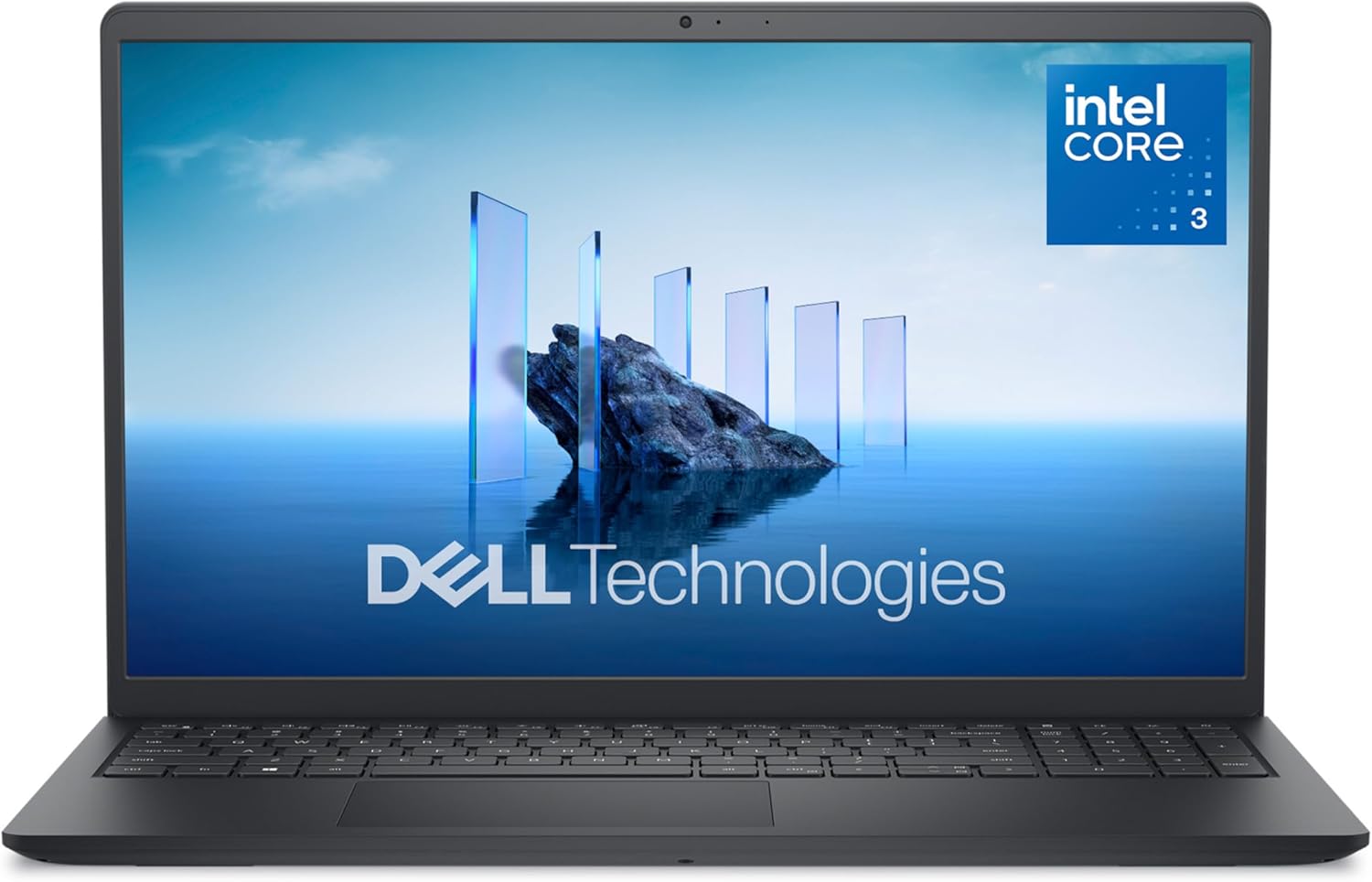
Dell 15 DC15250: the “just works” 15-inch laptop—if you buy it for the right reasons
If you’re shopping for a straightforward 15-inch Windows laptop for school, home office, or general everyday use, the Dell 15 Laptop DC15250 is trying to hit that sweet spot: a 15.6-inch Full HD display with 120Hz refresh, a modern Intel Core 3 Processor 100U, 8GB of DDR4 RAM, and a 512GB SSD. On paper, that’s a very sensible “do everything except heavy creative work and gaming” configuration—especially when it’s priced right.
I’ve found that laptops like this live or die by the details: how the screen looks in real rooms, whether the keyboard is comfortable for long typing sessions, how loud the fan gets during Zoom calls, and whether the specs are balanced (or bottlenecked by a single weak link). In this review, I’ll walk you through the real-world experience, who I think it’s best for, and when you should spend a little more (or less) instead.
🛒 Check Current Price on Amazon →
Quick specs (what you’re actually buying)
- Display: 15.6-inch Full HD (1920×1080) with 120Hz refresh rate
- CPU: Intel Core 3 100U (modern entry-level Core series)
- Memory: 8GB DDR4
- Storage: 512GB SSD
- Graphics: Intel UHD Graphics (integrated)
- OS: Windows 11 Home
- Service: Onsite Service (as listed)
That combination tells you exactly what this laptop is meant to be: a responsive daily driver with enough storage to avoid the “I’m out of space” panic, paired with a CPU that can handle lots of browser tabs and office work—but not the kind of GPU horsepower you’d want for modern AAA gaming or heavy video editing.
Design and build quality: practical, not premium
Dell’s budget-to-midrange 15-inchers typically prioritize function over flair, and that’s the vibe here. The “Carbon Black” look is understated and office-friendly. You’re not buying a CNC-machined aluminum showpiece—this is more of a “toss it in a backpack and don’t baby it” kind of machine.
In day-to-day use, what matters is whether the chassis feels solid enough when you open the lid, type, and carry it around. This class of Dell usually lands in the “acceptable” range: a little flex is normal at this price, but it shouldn’t feel flimsy if you treat it like a laptop (not a stepping stone). If you’re coming from a premium ultrabook, you’ll notice the difference. If you’re coming from an older budget laptop, this will likely feel like a step up in fit and finish.
My take: The DC15250’s build is best described as responsible. It’s the kind of laptop you buy because you want a dependable Windows machine, not because you want to impress anyone at a coffee shop.
Display: 120Hz is the headline—here’s what it really means
The most attention-grabbing spec here is the 15.6-inch FHD 120Hz display. At this price tier, 120Hz is a genuinely nice quality-of-life feature—not because it makes Netflix look better (most video is 60fps or less), but because it makes everything you do in Windows feel smoother.
Scrolling web pages, moving windows around, and general pointer movement can feel more fluid than on a 60Hz panel. If you’ve never used a high-refresh display, it’s one of those things you don’t think you need—until you get used to it. For students and office users who spend hours in browsers and documents, that smoothness can make the laptop feel more “modern” even when the rest of the specs are midrange.
Now for the reality check: refresh rate isn’t the only thing that matters. Budget 15-inch panels often make compromises in areas like brightness and color accuracy. That doesn’t necessarily make the screen bad; it just means it’s typically best for productivity and casual entertainment, not color-critical photo work.
Who will love this screen:
- Students who want a smooth, easy-on-the-eyes daily screen for docs and web
- Work-from-home users living in email, spreadsheets, and Teams/Zoom
- Anyone upgrading from a dim 1366×768 panel (this will feel like a revelation)
Who should be cautious:
- Photographers/designers who need accurate color and consistent viewing angles
- People who work outdoors or in very bright rooms (brightness matters more than refresh rate)
Performance: Intel Core 3 100U is better than the name suggests
Intel’s “Core 3” branding can sound like a throwback to the old Core i3 days, but the Core 3 100U is part of Intel’s newer naming scheme. In plain English: it’s an entry-level modern Core CPU designed for efficiency and everyday responsiveness.
For typical workloads—Chrome/Edge with a bunch of tabs, Google Docs/Office apps, streaming music, and video calls—the Core 3 100U is generally a good fit. The key is that it’s paired with a 512GB SSD, which keeps Windows feeling snappy. SSD speed and system responsiveness are tightly linked; this laptop should boot quickly, launch apps without drama, and avoid the “why is everything taking forever?” feeling that older hard-drive laptops suffer from.
Where you’ll start to see limits is under sustained heavier loads: big Excel sheets with complex formulas, light coding with multiple tools open, or multitasking while on video calls. It can do those things, but this is not a workstation CPU and it’s not meant to be.
Real-world expectation setting:
- Great for: Office/Google Workspace, web browsing, streaming, basic school software, light photo edits, basic coding environments
- Okay for (with patience): light 1080p video editing, larger multitasking sessions, occasional casual games
- Not ideal for: heavy content creation, 3D modeling, serious gaming, large-scale data work
RAM (8GB DDR4): the biggest “watch this” spec
If there’s one spec on this Dell that I want you to pay attention to, it’s the 8GB DDR4 RAM. In 2026, 8GB is still workable for basic use, but it’s increasingly the minimum—not the comfortable middle.
Here’s what happens in real life: Windows 11 plus a modern browser can chew through memory quickly, especially if you keep lots of tabs open, run a couple of apps, and jump on a video call. When you run out of RAM, Windows starts leaning on the SSD as “virtual memory.” SSDs are fast, but they’re not RAM-fast, and you can feel the slowdown as stutters or delays when switching tasks.
If you’re a light user—email, a handful of tabs, streaming, and basic documents—8GB is fine. If you’re a heavy multitasker, you’ll want to seriously consider a 16GB configuration (even if it means choosing a different model) or confirm whether this particular unit is upgradable in a way that makes financial sense.
My buying advice here is simple: If you’re buying this laptop to last several years and you know you’re a “50 tabs open” person, 8GB is the first thing that could make you regret the purchase.
Storage (512GB SSD): the quiet hero of this configuration
The 512GB SSD is, in my opinion, one of the best parts of this DC15250 configuration. Many budget laptops still try to get away with 128GB or 256GB storage, which fills up fast once you add Windows updates, Office apps, a few large programs, and some photos/videos.
With 512GB, you have breathing room. You can keep local files, install bigger applications, and not constantly micro-manage storage. It also helps performance: SSD-based systems feel dramatically faster than older HDD-based laptops, and even compared to smaller SSDs, having more free space can help maintain consistent performance over time.
Who benefits most:
- Students storing lecture recordings, PDFs, and project files
- Families sharing one laptop with multiple user accounts
- Anyone who installs a few larger apps (creative tools, school software, light games)
Graphics: Intel UHD is fine for basics, not for serious gaming
This laptop uses Intel UHD Graphics (integrated). That’s exactly what I expect in this class: it’s efficient, handles everyday display work, supports video playback, and can run casual or older games at modest settings.
What it’s not: a gaming GPU. If you’re hoping to play modern titles at high settings, or you want a laptop that can accelerate creative workloads (like heavy effects in video editing), integrated UHD graphics will be the limiting factor.
Good use cases:
- Streaming video (including high-resolution playback)
- Basic photo editing and light creative work
- Casual games, esports titles at low settings (depending on the game)
Not recommended for:
- AAA gaming expectations
- 3D rendering or GPU-heavy creative work
Keyboard, trackpad, and everyday ergonomics
For most people buying a 15-inch Dell like this, the keyboard and trackpad matter more than synthetic benchmarks. If you’re writing papers, answering emails, or doing admin work for hours, you want a keyboard that doesn’t fight you.
Dell typically delivers solid, predictable keyboards in this category: decent key spacing, reasonable travel, and a layout that doesn’t do anything too weird. The trackpad experience is usually “fine”—accurate enough for daily use, though not MacBook-level premium. If you’re picky, you’ll probably still prefer using a mouse at a desk.
Real-world tip: If you’re buying this for a student or remote worker, budget for a simple wireless mouse. It’s a small upgrade that makes a big difference in comfort.
Webcam, mics, and video calls: the make-or-break for students and WFH
Even budget laptops have to be competent at video calls now. While I can’t promise the exact webcam sensor quality without testing the specific unit in your cart, laptops in this segment typically deliver a serviceable webcam that looks okay in good lighting and mediocre in dim rooms.
If you’re on Zoom/Teams frequently, lighting matters more than people realize. A $20 desk lamp aimed at the wall behind your laptop can make you look dramatically better than any “better webcam” upgrade in the same price class.
My expectation: The DC15250 should be “good enough” for classes and meetings, but if you do client-facing calls all day, you may eventually want an external webcam and/or USB microphone.
Battery life and thermals: what to expect from a 15-inch budget Dell
Battery life is always workload-dependent, but here’s the honest framing: a 15.6-inch Windows laptop with a mainstream CPU and a high-refresh display can do well for light tasks, but it’s rarely an all-day unplugged machine in the way that some ultrabooks are.
The 120Hz refresh rate can also impact power draw. Some laptops allow you to switch down to 60Hz to extend battery life; if this Dell offers that option, it’s worth using when you’re away from an outlet for long stretches.
Thermals and fan noise: for basic browsing and document work, expect it to stay relatively quiet. Under heavier loads (large downloads, updates, multitasking while on a call), you may hear the fan ramp up. That’s normal. What you don’t want is constant high fan noise during simple tasks—most Dells in this tier avoid that, but ambient temperature and background updates can change the experience.
Windows 11 Home: fine for most people, with a few caveats
This model ships with Windows 11 Home. For most consumers, that’s perfectly fine. You get modern security features, broad compatibility, and a familiar ecosystem for printers, school software, and productivity apps.
The main reasons to want Windows Pro are domain join, certain business management features, and some advanced security/remote tools. If you don’t already know you need Pro, you probably don’t.
One practical note: Like many consumer laptops, you may see preinstalled apps you don’t want. Plan to spend 20–30 minutes on first setup uninstalling what you don’t need and running Windows Update until it’s fully current.
🛒 View on Amazon (See Latest Price) →
Onsite Service: an underrated perk if you hate downtime
The listing calls out Onsite Service, and that’s worth highlighting. For students in the middle of a semester or remote workers who can’t easily be without a laptop for a week, service terms can matter as much as raw specs.
Not all warranties are created equal. “Onsite” typically implies a technician can come to you for certain repairs rather than requiring you to ship the laptop out. The exact coverage depends on the plan attached to your purchase, so I recommend confirming the warranty details after you buy (or during checkout, if Amazon shows it clearly).
My take: If you’ve ever had a laptop fail at the worst possible time, you’ll appreciate why this matters. It’s not exciting, but it can be genuinely valuable.
Pros and cons (the honest list)
Pros
- 120Hz FHD display makes everyday Windows use feel smoother than typical budget laptops.
- 512GB SSD is generous at this tier and helps the system feel fast and roomy.
- Modern Intel Core 3 100U is well-suited for productivity, school, and home use.
- Dell ecosystem and service options can be a real comfort for mainstream buyers.
- Good “general purpose” balance for documents, browsing, streaming, and light multitasking.
Cons
- 8GB RAM is the main bottleneck for heavy multitaskers and long-term longevity.
- Intel UHD Graphics limits gaming and GPU-accelerated creative work.
- Display quality beyond refresh rate (brightness/color) may be average, as is common in this price class.
- Not a “premium feel” laptop; build is practical, not luxurious.
Who this Dell 15 DC15250 is best for
Here’s where I think this laptop makes the most sense—because the “best laptop” is always the one that matches your actual day-to-day.
1) Students who want a smooth, modern-feeling screen
If you’re writing papers, researching online, and living in browser tabs, the 120Hz display is a surprisingly nice perk. Pair that with a 512GB SSD and you’ve got a laptop that should feel responsive for typical student workloads.
2) Work-from-home and small business basics
Email, spreadsheets, invoicing, web apps, video calls—this is the DC15250’s comfort zone. If you need a dependable Windows machine and you’re not doing heavy media work, it’s a sensible pick.
3) Families who need a shared home laptop
The 15.6-inch screen is a comfortable size for shared use, and the 512GB SSD is helpful when multiple people are saving files and installing apps. Just keep expectations realistic on gaming.
Who should skip it (or at least shop carefully)
1) Heavy multitaskers and “power browser” users
If you routinely run dozens of tabs, multiple apps, and a video call at the same time, 8GB RAM is where you’ll feel friction. You may still be okay, but it’s the first spec that can turn “smooth” into “why is this stuttering?”
2) Creators who need color accuracy or GPU power
If you do photography, design, or video editing seriously, you’ll likely want a better display (brightness/color) and stronger graphics. This Dell is built for productivity, not creative pros.
3) Gamers shopping by screen refresh rate alone
120Hz sounds like a gaming laptop spec, but the Intel UHD Graphics tells the true story. You can play light games, but don’t buy this expecting it to drive modern games at high frame rates.
Value assessment: when the DC15250 is a smart buy
Value is all about price—and Dell laptops on Amazon can swing a lot depending on sales. In my experience, this configuration becomes compelling when it’s priced close to (or only slightly above) the typical 15-inch “starter laptop” tier, because you’re getting two meaningful upgrades: a 120Hz panel and a 512GB SSD.
Where it can become a less attractive deal is if the price creeps up into territory where you can get 16GB RAM (or a stronger CPU tier) from Dell or a competitor. RAM is the long-term comfort spec, and if you can move to 16GB without paying a huge premium, I often recommend doing it.
My rule of thumb: If the DC15250 is priced as a budget laptop, it’s a strong buy. If it’s priced like a midrange laptop, shop around—because 8GB RAM at midrange pricing is harder to justify.
Buying advice: how to choose confidently
If you’re on the fence, here’s how I’d make the call.
- If you want smooth everyday use: the 120Hz screen is a real perk—go for it.
- If you keep laptops a long time: prioritize RAM. If you can’t get 16GB here, consider other models with 16GB.
- If you need gaming or creator performance: look for a laptop with a stronger iGPU (or a dedicated GPU) and ideally 16GB+ RAM.
- If you hate downtime: pay attention to the onsite service/warranty details—this can be a deciding factor.
And one more practical tip: if you’re buying this for school or remote work, I recommend budgeting for two small add-ons: a wireless mouse and a basic 1080p external webcam (if you do lots of calls). Those two accessories can make the whole experience feel more “premium” than spending a little more on a slightly faster CPU.
🛒 Buy on Amazon – Check Price & Reviews →
Bottom line: should you buy the Dell 15 DC15250?
If you need a dependable, mainstream 15-inch Windows laptop for school, home office, and everyday life, the Dell 15 DC15250 gets a lot right. The 120Hz FHD display is a genuine quality-of-life upgrade that makes the laptop feel smoother than many similarly priced competitors, and the 512GB SSD is the kind of practical spec that prevents headaches later.
The main reason I’d hesitate is the 8GB RAM. For light-to-moderate users, it’s fine. For heavy multitaskers, it’s the weak link that could limit how “fast” the laptop feels a year or two down the road. If you know your habits—and you shop this Dell at a good price—it can be an excellent value. Just buy it for what it is: a smooth, responsive productivity laptop, not a gaming rig or a creator workstation.
My recommendation: If your use is primarily browser + Office/Google apps + streaming, and you want a big screen with smoother scrolling, this is a smart buy when discounted. If you want long-term multitasking comfort, prioritize a 16GB option—even if that means choosing a different model.