INSIGNIA 32" F20 Fire TV Review: Worth It in 2026?
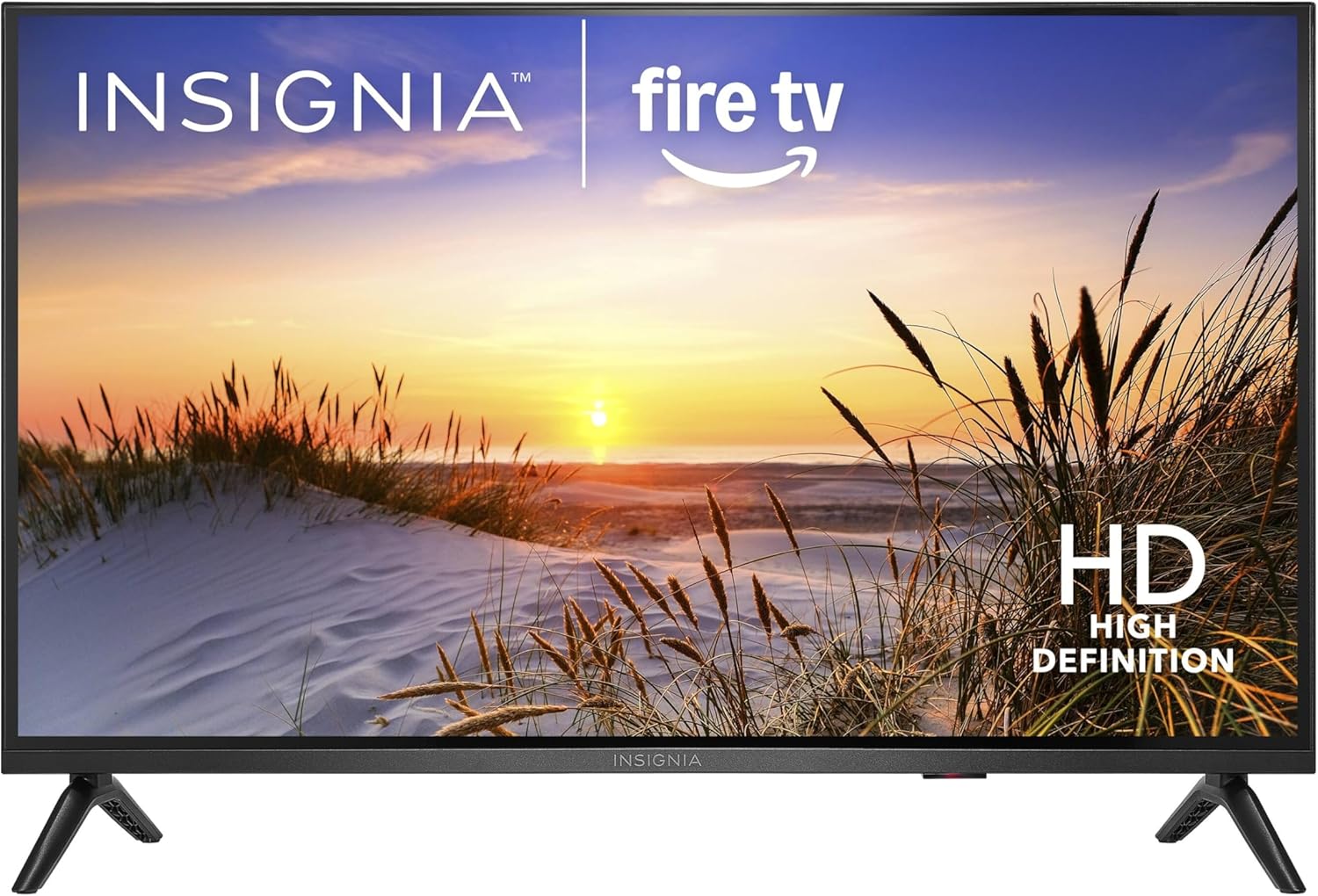
INSIGNIA 32" Class F20 Series Fire TV: the budget TV that’s actually usable?
Small TVs are having a moment again—dorm rooms, kitchens, guest rooms, RVs, and “I just need something that works” secondary setups. The INSIGNIA Fire TV 32" Class F20 Series LED HD Smart TV is clearly built for that world: affordable, simple to set up, and leaning hard on Amazon’s Fire TV platform so you don’t need to add a streaming stick on day one.
I’m going to be upfront about what this type of TV is (and isn’t). A 32-inch, 720p/HD-class panel with basic LED backlighting isn’t going to compete with a modern 4K set for contrast, brightness, or HDR impact. What it can do—if it’s executed well—is deliver a clean, reliable picture for streaming, a smooth-enough smart TV experience, and enough inputs to handle a cable box, a game console, or a DVD player without headaches.
In this review, I’ll walk you through picture quality, Fire TV usability, sound, ports, and the value proposition. I’ll also tell you exactly who I think should buy it, who should skip it, and what to check when it arrives.
🛒 Check Current Price on Amazon →
Quick specs & what they mean in the real world
At a high level, here’s what you’re buying with this INSIGNIA F20 32-inch Fire TV:
- Screen size: 32-inch class (a sweet spot for small rooms where you sit relatively close)
- Resolution: “HD” class (commonly 720p at 32 inches; the key takeaway is not 4K)
- Smart platform: Fire TV built in (apps, Alexa integration, streaming without extra hardware)
- Panel/backlight: LED (budget-friendly; typically limited contrast and peak brightness)
What matters most is how those choices play out. A 32-inch HD panel can still look perfectly sharp at typical bedroom distances (say 6–8 feet), and Fire TV can be a very convenient interface if you already live in the Amazon ecosystem. The tradeoffs are usually in black levels, motion handling, and overall speed once you’re juggling multiple apps.
Design and setup: simple, lightweight, and made for secondary rooms
INSIGNIA sets in this category are usually designed to be easy to move, easy to mount, and easy to set up. That’s what most people want from a 32-inch TV: something you can carry with one hand, place on a dresser, or mount on a wall in a tight space without needing a second person.
Setup experience is where Fire TV models tend to shine. If you already have an Amazon account, the onboarding process is typically straightforward: connect to Wi‑Fi, sign in, let it update, and you’re basically ready to stream. I always recommend budgeting a little patience for the first boot—updates can take time, and budget smart TVs can feel sluggish while installing and indexing apps.
My practical tip: once it’s set up, go into settings and turn off any auto-play previews or unnecessary home-screen noise if you prefer a calmer UI. Fire TV is content-forward (some would say ad-forward), and you’ll either appreciate the recommendations or want to tame them.
Picture quality: good enough for streaming—know the limits
Let’s talk picture, because that’s where expectations can make or break your satisfaction.
Resolution and sharpness: On a 32-inch screen, HD resolution can look surprisingly fine—especially for sitcoms, YouTube, news, and older content. If you sit close (like at a desk in a dorm), you may notice softer fine detail compared with a 1080p or 4K display. But from normal “bedroom TV” distance, it’s typically acceptable and often preferable to paying more for features you won’t notice in that environment.
Brightness: Budget LED TVs generally aren’t very bright. In a dim bedroom, that’s not a problem. In a sunny kitchen with lots of glare, it can be. If your TV will live near windows, you’ll want to manage reflections—close blinds, adjust placement, or plan on evening viewing.
Contrast and black levels: This is the biggest compromise. Dark scenes (think moody Netflix dramas) can look more gray than black. You may also see some unevenness in darker areas depending on the unit. For casual viewing, it’s fine. For anyone chasing “cinema” blacks, it’s not the right class of TV.
Color: Out of the box, budget TVs often ship in vivid modes that push blue and oversaturate reds. My recommendation is to switch to a more neutral picture mode (often called Movie/Cinema) and reduce sharpness a bit. That alone can make the image look more natural and less harsh.
Motion: Sports and fast action are where inexpensive panels show their limits. You may see blur during quick camera pans. If you’re buying this primarily for live sports, it can still work, but don’t expect premium smoothness. For most streaming shows and casual gaming, it’s serviceable.
Best picture settings (quick starting point)
Every unit varies, but here’s a sensible baseline I recommend trying:
- Picture mode: Movie/Cinema (or the most natural option available)
- Sharpness: lower it (too much sharpness adds halos and noise)
- Color temperature: Warm (reduces the blue tint)
- Noise reduction: Low or Off (depends on the content; too much can smear detail)
If you do nothing else, switching out of the default “torch mode” is the easiest win.
Fire TV experience: the main reason to buy this TV
For a TV like this, the smart platform matters as much as the panel. Fire TV is one of the more feature-rich interfaces in the budget segment, and it’s especially convenient if you already use Prime Video, Alexa devices, or Amazon Music.
App availability is generally strong: major streaming services, lots of free ad-supported channels, and a deep bench of niche apps. Where things can get annoying is the home screen—it’s busy, and it’s designed to surface content. Some people love that. If you just want a clean grid of apps, you may find it a bit much.
Performance and responsiveness is the other key. Budget Fire TV sets can be perfectly fine for launching a few apps, but they can also slow down if you overload them with dozens of apps or leave them running for weeks without a restart. I’ve found that doing an occasional restart (or power cycle) keeps things snappy.
Voice and Alexa integration is a genuine plus. If you like voice search—“Play The Office,” “Open YouTube,” “Switch to HDMI 1”—it’s convenient and often faster than typing with a remote.
My real-world advice for Fire TV owners
- Enable automatic updates so apps don’t break over time.
- Don’t install everything. Keep it lean: the apps you actually use.
- Restart occasionally if menus start lagging.
Sound quality: fine for TV dialogue, but plan a cheap upgrade
Small TVs almost always have small speakers—and this is where “you get what you pay for” is most obvious. Built-in audio on budget 32-inch sets tends to be:
- Clear enough for dialogue at moderate volume
- Light on bass (explosions and music won’t have weight)
- Easy to distort if you crank it too high
If this is a bedroom TV and you watch at lower volumes, you may be satisfied. If you’re putting it in a living room or you care about movies, I strongly suggest planning for at least a basic soundbar. Even an entry-level bar can make dialogue easier to understand and give you a fuller sound without blasting volume.
One usability note: pay attention to how you’ll connect audio (HDMI ARC/eARC vs optical vs Bluetooth). The best experience is usually HDMI ARC because you get volume control through the TV remote and fewer sync problems.
Inputs and connectivity: what to check before you buy
For a small smart TV, inputs matter because these sets often become “utility TVs.” You might hook up:
- A cable box or antenna
- A game console (Switch, older PlayStation/Xbox)
- A Blu-ray/DVD player
- A soundbar
Before you click buy, I recommend confirming the listing details for your exact needs—specifically:
- Number of HDMI ports (more is better if you have multiple devices)
- ARC support if you want a soundbar with simple control
- Wi‑Fi reliability (2.4GHz vs 5GHz support can matter in congested apartments)
In this price tier, it’s common to see “enough ports” rather than “lots of ports.” If you’ll connect more than two HDMI devices, plan ahead for an HDMI switch or be ready to swap cables.
Streaming quality: what looks good (and what doesn’t)
Most people buying a 32-inch Fire TV are streaming first. Here’s how to think about it.
1080p content on an HD panel: A lot of streaming services will deliver 1080p (or higher) streams depending on your plan and bandwidth. On an HD TV, that content will be downscaled. The upside is that downscaling can hide compression artifacts and make average streams look cleaner. The downside is you don’t get the full sharpness you’d see on a 1080p/4K panel.
Low-bitrate streams: If your Wi‑Fi is shaky or you’re watching heavily compressed live streams, you may see banding in gradients (like skies) and macroblocking in dark scenes. That’s more about the stream than the TV, but a higher-end panel does tend to handle it more gracefully.
YouTube and casual content: This is where the TV feels most at home. News, talk shows, cartoons, older movies—content that isn’t demanding looks perfectly enjoyable.
Gaming on a 32-inch HD Fire TV: good for casual, not competitive
If you’re buying this as a cheap gaming TV, the question is: what kind of gaming?
Great fit: Nintendo Switch, retro consoles, casual couch co-op, kids’ games, and older systems where 720p/1080p is normal. The 32-inch size is also nice if you’re sitting close—like on a bed or at a desk.
Not the best fit: competitive shooters where input lag and motion clarity are everything. Budget TVs often have higher input lag unless you enable a dedicated Game mode. If you do plan to game, go into settings and turn on the lowest-latency mode available.
Console expectations: Modern consoles will still work, but you won’t get 4K detail, high refresh rates, or premium HDR. If you own a PS5/Xbox Series X and want to see what they can really do, this isn’t the display for that.
Everyday usability: the stuff you notice after a week
Here’s what tends to matter most with a TV like this once the novelty wears off:
Remote and navigation: Fire TV remotes are generally straightforward, but the experience depends on responsiveness. If menus feel a beat slow, it’s not a deal-breaker for a secondary TV, but it can get annoying if this is your main set.
Wake-from-sleep speed: Some budget smart TVs take longer to wake, reconnect to Wi‑Fi, and load the home screen. If you’re the type who wants instant-on behavior, you’ll notice this more than someone who turns the TV on and leaves it running for background noise.
Ads and recommendations: Fire TV leans into curated content rows. If you’re sensitive to a busy interface, you may prefer a simpler “dumb TV + streaming stick” approach. On the flip side, if you like discovering free channels and recommendations, Fire TV makes that easy.
Pros and cons (the honest list)
Pros
- Excellent value for a secondary TV: You get a complete smart TV experience without buying extra hardware.
- Fire TV built in: Strong app support and easy streaming for Prime Video users.
- 32-inch size is practical: Great for bedrooms, dorms, kitchens, and RVs where a larger TV feels overwhelming.
- HD resolution is fine at this size: At typical viewing distances, it’s more watchable than people assume.
Cons
- Not a “movie night” TV: Limited contrast and brightness compared with better 4K sets.
- Audio is basic: You’ll likely want a soundbar if you care about fuller sound.
- Fire TV interface can feel busy: If you want a minimalist home screen, this may annoy you.
- Not ideal for serious gaming: Fine for casual play, but not a high-performance display.
Who this TV is best for (and who should skip it)
Buy the INSIGNIA 32" F20 Fire TV if you need:
- A bedroom TV for streaming shows, YouTube, and light sports
- A dorm/first apartment TV where price matters more than perfect picture
- A kitchen/garage TV for background viewing
- A guest room TV that’s easy for visitors to use
- A simple TV for an RV or small space where 32 inches is the right fit
Skip it (or consider stepping up) if you need:
- 4K resolution for sharpness at longer distances or larger rooms
- High brightness for a very sunny room
- Deep blacks and strong HDR for movie-focused viewing
- Competitive gaming performance (low lag, high refresh, great motion clarity)
Value assessment: when it’s a great deal vs. when it isn’t
The value of a budget 32-inch smart TV comes down to one question: Does it save you money after you factor in the stuff you’d otherwise need?
If you were going to buy a basic TV and then add a streaming stick, Fire TV built in can be a real savings—less clutter, one remote, one setup. That’s the strongest argument in favor of this INSIGNIA.
Where value can slip is if you end up needing upgrades to make it enjoyable. For example:
- If the room is bright and you struggle with glare, you may wish you’d bought a brighter set.
- If you hate thin TV speakers, you may immediately add a soundbar (which can cost as much as the TV in this class).
- If you’re picky about picture quality, you might start shopping for a 4K TV sooner than you expected.
My rule of thumb: this kind of TV is an excellent buy when it’s used as a secondary screen or for casual viewing. If it’s going to be your only TV and you watch a lot of movies at night, it may be worth spending more on a better panel.
Buying tips: how to avoid common disappointments
If you decide this TV fits your needs, here are a few practical steps to make sure you’re happy with it:
- Measure your space and viewing distance. At 6–8 feet, 32 inches is comfy. At 10+ feet, it may feel small.
- Plan your audio. If you already own a soundbar, confirm the TV’s best connection method (ideally HDMI ARC).
- Check your Wi‑Fi strength where the TV will sit. Streaming issues are often network issues, not TV issues.
- After setup, adjust picture mode. Don’t judge it in the default vivid mode.
- Decide if you’re okay with Fire TV’s interface. If you dislike content-heavy home screens, consider alternatives.
So… is the INSIGNIA 32" F20 Fire TV worth it?
If you need a small, affordable smart TV that’s easy to use and ready to stream out of the box, the INSIGNIA 32-inch F20 Series Fire TV is a sensible pick. It’s not pretending to be a premium display—it’s aiming to be good enough in the ways that matter for a dorm, bedroom, guest room, or kitchen. And for a lot of people, that’s exactly the right goal.
I recommend it most for shoppers who want convenience and low cost over perfection: you’ll get a straightforward Fire TV experience, a watchable HD picture at 32 inches, and a setup that doesn’t require extra devices. Just go in with realistic expectations about contrast, brightness, and audio, and you’ll be much more likely to feel like you got a great deal.
🛒 See Latest Reviews on Amazon →
My bottom-line recommendation
Buy it if you want an inexpensive, no-fuss Fire TV for a smaller room and you’re okay with HD resolution and basic audio. Pass if this will be your main TV for movie nights, you have a bright room, or you’re trying to get the most out of a modern game console.
If you’re in the “secondary TV” camp, this INSIGNIA hits the brief: straightforward, affordable, and genuinely convenient.