TIPSEAN USB-C to 3.5mm Review: Worth It in 2026?
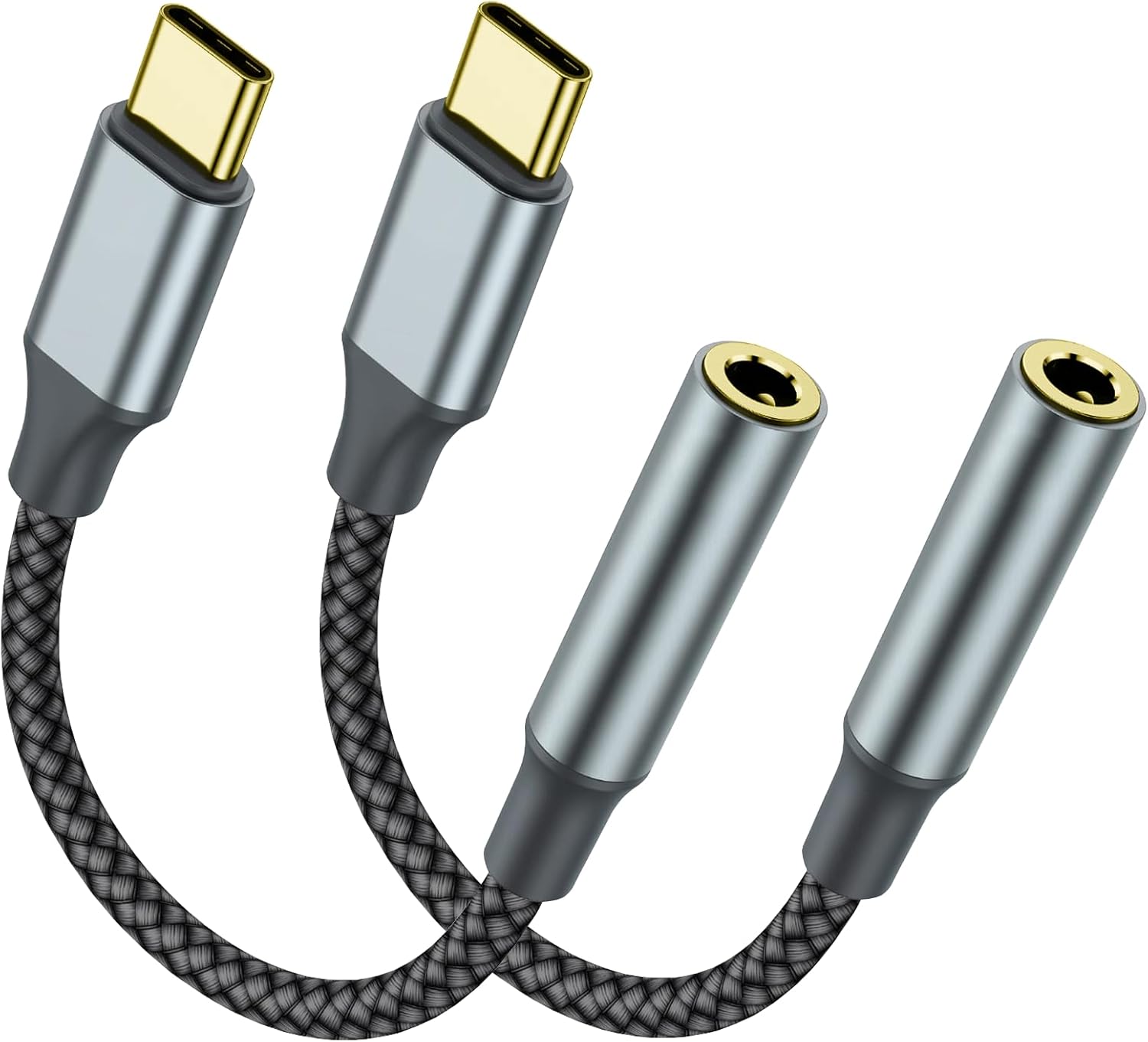
TIPSEAN USB-C to 3.5mm Adapter Review (2-Pack): the wired-audio fix that still matters
If you’ve been living the “dongle life” since phone makers started deleting headphone jacks, you already know the truth: a USB-C to 3.5mm adapter can be either a quiet hero or a constant source of crackles, dropouts, and frustration. The TIPSEAN USB C to 3.5mm Headphone Jack Adapter (2 Pack) is positioned as a simple, budget-friendly way to get your wired headphones, car AUX input, or external speakers working again on USB-C devices.
I’m writing this review for the people who actually use these things daily: commuters who plug into a car stereo, students who want latency-free earbuds for lectures, creators who monitor audio, and anyone who just prefers a reliable wired connection over Bluetooth. I’ll walk you through what this adapter does well, where it can fall short, what to watch out for with compatibility, and whether the 2-pack is genuinely good value.
🛒 Check Current Price on Amazon →
First, a reality check: “USB-C to 3.5mm” isn’t one universal standard
This is the part most listings gloss over, but it’s the #1 reason people end up angry in the reviews. There are two broad types of USB-C to 3.5mm adapters:
- Passive adapters that rely on the phone/tablet/laptop to output analog audio through USB-C (not all devices support this).
- Active adapters that include a built-in DAC (digital-to-analog converter) and present themselves as a USB audio device. These work with far more devices.
The TIPSEAN adapter is marketed as a general-purpose USB-C audio dongle for phones, tablets, and laptops. In practical terms, that means it’s aiming to behave like an active USB audio adapter (the type most people need in 2026). That’s good news—because most modern USB-C phones don’t output analog audio over USB-C anymore.
But here’s my honest advice: regardless of brand, always verify that your specific device supports USB-C audio output and that the adapter supports the features you care about (headphone audio only vs. headset mic support, inline controls, etc.).
What you’re actually buying (and why the 2-pack matters)
The TIPSEAN product is a 2-pack of short USB-C-to-3.5mm dongles. That sounds minor, but it’s a real-world advantage. These adapters are small, easy to lose, and they tend to live in multiple places: one in your car, one in your backpack, one on your desk, one in your travel kit. A two-pack is often the difference between “I always have one when I need it” and “I’m buying another dongle again.”
From a usability standpoint, the best USB-C audio adapters share a few traits:
- Stable connection (no wiggle that causes dropouts)
- Low noise floor (no hiss with sensitive IEMs)
- Enough output power for typical earbuds and portable headphones
- Mic/headset compatibility if you take calls or game
- Durability at the strain points (USB-C plug and cable neck)
This TIPSEAN set is clearly designed for everyday convenience rather than audiophile bragging rights—and that’s exactly what most shoppers want.
Sound quality: what to expect in real listening
Let’s be blunt: at this price tier, nobody should expect a “transform your headphones” moment. What you should demand is clean, consistent audio that doesn’t introduce obvious distortion, channel imbalance, or annoying background noise.
In typical use—streaming music, podcasts, YouTube, and calls—an adapter like this should sound essentially transparent with mainstream headphones. If you’re using common wired earbuds (Apple EarPods 3.5mm, basic Sony/Panasonic buds, gaming headsets, etc.) or midrange portable headphones, the TIPSEAN’s job is to get out of the way.
Here’s what I pay attention to with dongles:
- Hiss with sensitive earphones: Some cheap DAC dongles produce audible hiss with high-sensitivity IEMs. If you use something like KZ/CCA-style IEMs or very sensitive in-ears, this is where budget adapters can reveal themselves.
- Volume consistency: A good adapter keeps volume steps predictable and doesn’t randomly jump or cap output too low.
- Bass control and distortion at higher volume: Weak output stages can sound “flabby” or distort as you push volume.
For most people using this as a daily driver, TIPSEAN’s performance should land in the “sounds normal” zone, which is exactly what you want. If you’re an audio enthusiast chasing high dynamic range or driving higher-impedance headphones, you’ll be happier with a known higher-end USB-C DAC dongle from an audio-first brand. But for commuting, office listening, and car AUX use, this class of adapter is usually the right tool.
Calls, microphone support, and inline controls: the make-or-break feature
A lot of shoppers don’t realize that “audio works” doesn’t always mean “my headset works.” If you plan to use a 3.5mm headset with a microphone (TRRS plug) for calls, Zoom, Discord, mobile gaming chat, or voice notes, you need the adapter to properly support TRRS mic input and ideally inline button controls.
In practice, compatibility here can vary by phone model and OS behavior. Even when an adapter supports mic input, some devices can be picky about:
- Whether the headset uses CTIA vs. OMTP wiring (most modern headsets are CTIA)
- Whether the phone properly routes input/output to the USB audio device
- Whether inline controls (play/pause/volume) map correctly
My buying advice: If headset mic support is critical, test it immediately when it arrives—on the exact apps you care about (Phone app, WhatsApp, FaceTime Audio alternatives, Discord, etc.). If it doesn’t behave, don’t waste weeks hoping it’ll “start working.” Return it and choose a dongle that explicitly guarantees mic + controls for your device family.
Compatibility: what “works with iPhone” really means (and what to be careful about)
The product title mentions a wide range of devices, including iPhones and Android phones. Here’s the nuance you need to know as a buyer:
- USB-C iPhones (like iPhone 15/16 series) can use USB-C audio adapters, but behavior depends on whether the adapter is a proper USB audio device and whether iOS recognizes it cleanly.
- Android phones (Galaxy S-series, Pixel) generally support USB audio class devices, but some models have quirks with certain dongles.
- iPad Pro / iPad Air with USB-C are often very friendly with USB audio adapters—great for students and creators.
- MacBooks already have a headphone jack on many models, but a USB-C adapter can still be useful for a second output or if your jack is worn out.
One important correction for shoppers: product titles sometimes list devices that are not currently released or not universally applicable. I focus on what’s actually available and what the adapter class typically supports. If you’re buying for a specific phone/tablet, treat the listing’s compatibility claims as a starting point—not a guarantee—and verify with your device’s USB audio support.
Using it in the car (AUX input): one of the best reasons to buy this
If your car has a 3.5mm AUX input, a dongle like this is still one of the cleanest ways to get reliable audio without Bluetooth compression, pairing hassles, or lag. It’s also a lifesaver for rental cars and older vehicles where Bluetooth either doesn’t exist or is flaky.
What I like about a short dongle for car use:
- Fast setup: plug USB-C into phone, 3.5mm into AUX, done.
- Less latency than Bluetooth: especially noticeable for videos.
- Consistent connection: no random disconnects or re-pairing issues.
What I don’t love (and this applies to all dongles): if your phone is connected to the dongle, you’re using your USB-C port for audio, which means you can’t charge at the same time unless you add a separate USB-C splitter/hub designed for charging + audio. For long road trips, that’s the one scenario where you may want a different accessory.
Build quality and durability: the weak point of most cheap dongles
In day-to-day life, these adapters fail for predictable reasons: the cable flexes near the USB-C plug, the strain relief is too stiff or too soft, or the 3.5mm jack gets loose after repeated insertions.
With the TIPSEAN, the value proposition is partly that you’re getting two. Even if one eventually gets intermittent (it happens), you have a backup. That said, I still recommend treating them like small electronics, not like a “throw it in a pocket with keys” item.
How I make dongles last longer:
- Don’t yank it out by the cable—pull from the plug housing.
- Avoid sharp bends right at the USB-C connector.
- If it’s living in your car, keep it out of direct sun when possible (heat accelerates cable aging).
- Use a small pouch in your bag rather than letting it float loose.
If you need something that survives heavy daily abuse (field work, touring musicians, constant plugging/unplugging), I’d step up to a more rugged, reinforced model even if it costs more. For normal commuting and home/office use, this style is usually fine.
Everyday usability: what it’s like to live with
The best compliment I can give a USB-C audio adapter is that you stop thinking about it. You plug it in, it works, and it doesn’t create new problems.
In daily use, you’ll appreciate:
- Instant plug-and-play behavior when the device recognizes it correctly.
- No pairing and no battery to charge (unlike Bluetooth adapters).
- Simple troubleshooting when something goes wrong (unplug/replug, clean lint from USB-C port, restart audio app).
The main annoyance is the same across all dongles: it’s one more small part to keep track of. That’s why I actually like 2-packs for this category. One can live permanently in your car or your desk drawer, and you keep the other with your headphones.
Performance for gaming and video: latency and stability
If you play games on your phone/tablet or watch a lot of video content, wired audio still has two advantages: lower latency and fewer sync issues. Bluetooth has improved a lot, but latency can still be noticeable depending on codec support and the specific earbuds you use.
With a wired connection through a USB-C dongle, lip-sync is typically tight, and you don’t get the “audio lag” effect that can make rhythm games or FPS footsteps feel off. If you’re buying this adapter for mobile gaming with a wired headset, just remember the earlier note: mic and inline control support can be device-dependent, so test that part early.
Pros and cons
Pros
- 2-pack value: Having a spare is genuinely useful for a product this easy to misplace.
- Simple wired-audio fix: Ideal for AUX inputs, older speakers, and wired headphones.
- Convenient for travel: Small and easy to keep in a bag, car, or laptop sleeve.
- Better than Bluetooth for latency: Great for video and many gaming scenarios.
Cons
- Compatibility can be tricky: USB-C audio behavior varies by device; not every phone/tablet plays nicely with every dongle.
- Not for power-hungry headphones: If you’re driving high-impedance cans, you’ll want a stronger DAC/amp dongle.
- Durability is always a question at this tier: Cable strain and connector wear are the common failure points.
- Charging while listening requires a separate accessory: One USB-C port means you may need a splitter/hub on long sessions.
Who this TIPSEAN adapter is best for
Buy this if you’re in one of these camps:
- You want to use wired headphones again on a USB-C phone/tablet without spending a lot.
- You use a car AUX input and want a reliable, no-fuss connection.
- You need a spare dongle for travel, your office, or a second bag.
- You care about low-latency audio for videos, classes, and casual gaming.
Skip it (or consider upgrading) if:
- You’re an audio enthusiast looking for a measurable upgrade in DAC performance, power, and noise floor.
- You must have guaranteed headset mic + button support for a specific phone and app workflow—look for a model that explicitly guarantees this and has a long track record.
- You need to charge and listen simultaneously every day—consider a USB-C audio + charging adapter designed for that purpose.
Value assessment: is it worth the money?
In my experience, the sweet spot for USB-C to 3.5mm adapters is “cheap enough to keep spares, but not so cheap that it’s disposable.” TIPSEAN’s 2-pack approach hits the right idea: most people don’t need boutique audio hardware; they need something that works, and they need it in more than one place.
The value is strongest if you:
- Use standard wired earbuds/headphones
- Primarily listen to streaming music/podcasts
- Want one adapter for the car and one for your bag
The value is weaker if you’re buying it to solve a very specific compatibility need (like a particular gaming headset mic on a particular phone). In those cases, spending a bit more on a well-documented, widely verified dongle can save you time and returns.
Buying advice: how to avoid the most common dongle headaches
If you decide to pick this up, here’s how I recommend you validate it during your return window:
- Test audio playback in at least two apps (Spotify/Apple Music + YouTube, for example).
- Test calls and mic if you plan to use a headset: record a voice memo, make a call, and try a VoIP app.
- Wiggle test (gently): move the cable near the connectors while audio plays to check for intermittent dropouts.
- Try it with your car AUX if that’s your primary use case—some cars are more sensitive to grounding/noise than others.
If it passes those tests, you’re likely set for everyday use.
🛒 Buy on Amazon – Check Price →
My bottom line
If you need a straightforward way to use wired headphones or an AUX cable with a USB-C device, the TIPSEAN USB-C to 3.5mm Adapter (2-pack) is the kind of practical purchase that makes life easier—especially because you get a backup. For everyday listening, commuting, and car use, this category of adapter is still one of the most cost-effective accessories you can buy.
Just go in with the right expectations: it’s a convenience tool, not a high-end DAC/amp, and compatibility (especially with headset microphones and inline controls) is the one area you should verify immediately on your specific device. If it works cleanly in your setup, it’s a solid value buy and a smart thing to keep in your gear rotation.